
The enterprise browser
The browser that
The browser that
won't break your business.
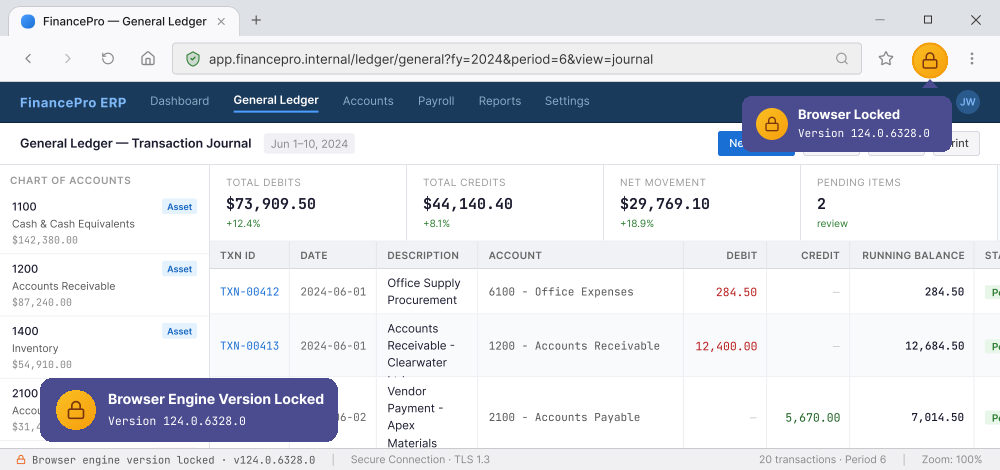
Verlock stays on one stable version and never updates on its own — so your internal apps keep working.
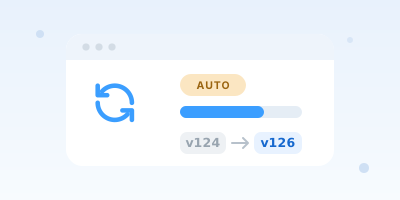
- 0Forced updates.
- 1Locked version.
- 2Hours to deploy.
The problem
A browser update shouldn't be a business risk
Your internal apps are built and tested against one browser version. Then the browser updates itself — and they break.
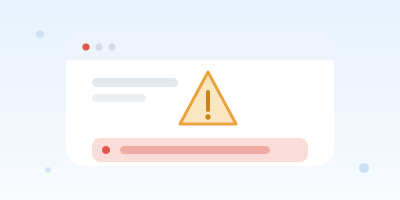
Apps that break overnight
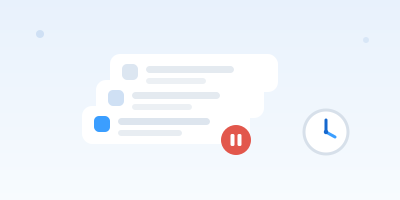
Unplanned downtime
JavaScript libraries stopped working (v79 → v80)
On Feb 2020, Apps built on the Polymer 1.x library stopped rendering
Form controls misaligned, styles broke (v81 → v83)
On May 2020, Checkboxes, selects and focus rings changed size and style
Locked version
The core of Verlock:
The core of Verlock:
frozen, patched, managed
Verlock holds the version you've tested and stays managed for you — so an auto-update can't quietly break your apps.
-
No surprise updates
-
Maintained, not abandoned
-
Your apps keep working
Chrome / Edge / other browsers
Auto-update
v118→v119→v120→v121→v122→v123→v124→v125→v126→v127→v128→v129→v130→v131
v118→v119→v120→v121→v122→v123→v124→v125→v126→v127→v128→v129→v130→v131
Verlock
On locked version
v124
LOCKED
Why Verlock
One browser the alternatives can't match
Locking the version is only useful if it stays patched, ready to deploy, branded, and private. Verlock is the only option that brings all of it together.
| Verlock | Chrome / Edge | Enterprise browser | MDM | |
|---|---|---|---|---|
| Locked kernel version — no forced updates | ||||
| Ready out of the box | ||||
| Brand customization | ||||
| No data sent to Google |
Out of the box
Open it, and it just works
Verlock arrives with your MDM and policies already built in. Open it and it just works — consistent from the first launch.
-
MDM & policies pre-setManagement and policy come baked in — nothing for IT to wire up first.
-
Consistent on every deviceEvery machine starts from the same known-good configuration, with no drift.
-
Ready on day oneRoll it out and it's usable immediately — no user setup, no waiting.
Browser policies
Homepage
Allowed sites
Extensions
Locked version
Who it's for
Built for environments that can't fail
Representative scenarios where teams keep critical internal apps running on a version they control.
Back-office that can't blink
Teller and back-office portals certified on one Chrome version — Verlock pins it on every machine.
Validated once, kept for years
Government systems are validated against one browser version and expected to run for years — Verlock keeps every terminal on exactly that version.
Clinical apps, always available
Clinical web apps depend on exact browser behavior — Verlock locks one version on every workstation.
Internal systems that outlast browsers
ERP, admin consoles and intranet tools built for older browsers — Verlock pins that one version fleet-wide.
Illustrative scenarios representative of common enterprise environments.

The team behind Verlock - Gilgamesh Limited
Who keeps your version safe
A locked version is only as good as the team maintaining it — here's who stands behind yours.
-
Led by browser engineers
Engineers with 5+ years shipping Chromium-based browsers through breaking changes.
-
Engineering-first team
About 70% of our team works in R&D and security roles.
-
Support you can reach
A named contact and response targets set in your agreement.
FAQ
Questions IT and security teams ask
The short answers to what comes up most when evaluating a locked-version enterprise browser.
Can't we just disable Chrome's auto-update ourselves?
You can try — but turning off Chrome's auto-update with a registry key or policy is fragile: it often re-enables itself, background components and the hidden updater keep moving, and once you do freeze it you also stop getting security patches. Verlock is the managed version of that idea: we lock one tested version across the fleet and keep backporting the critical security fixes — so "stop Chrome from updating" doesn't also mean "stop staying secure."
Do you offer legacy browser support, or should we just download an old version?
Downloading an old browser build gives you the right version once — then it's unsupported, unpatched, and easy to drift out of sync across machines. Verlock is proper legacy browser support: we pin the exact version you've certified on every device and backport the critical security fixes during your support term, so your legacy internal apps keep working without running an abandoned build.
Will our internal apps and extensions still work?
Yes. Verlock is built on the same open-source Chromium engine, so sites, extensions, and internal tools behave exactly as they do on the version you pin. Keeping that behavior stable is the entire point.
How is this different from Edge's IE mode?
IE mode keeps old Internet Explorer pages working inside a modern Edge that still updates itself. Verlock takes the opposite approach: instead of emulating a legacy engine for some sites, it pins the whole Chromium browser to one version you've tested — so your modern internal apps don't break in the first place, with no per-site mode to maintain.
How do we get Verlock, and how is it priced?
Tell us which apps you need to protect, your fleet size, and the platforms you run. We'll scope a build and share pricing tailored to your deployment. Reach out and we'll reply within two business days.
Get started
Stop letting updates run your business
Tell us your fleet size and platforms. We'll scope a build, share pricing, and hand you a ready-to-deploy enterprise browser.